Guest App
Let guests do more
with their stay.
A branded iOS and Android app where guests explore your hotel, reserve experiences and ask for service. Your team keeps the information current from the hotel workspace.
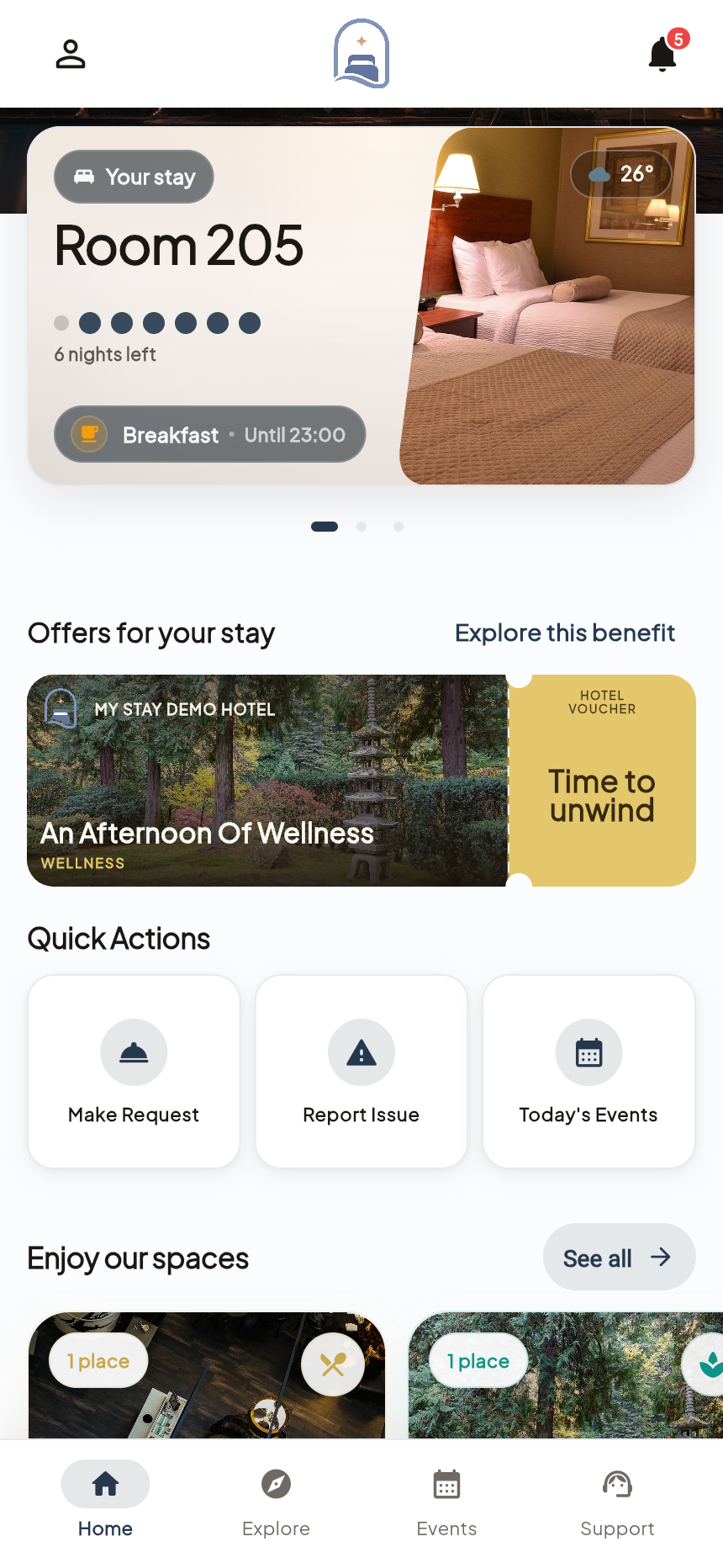
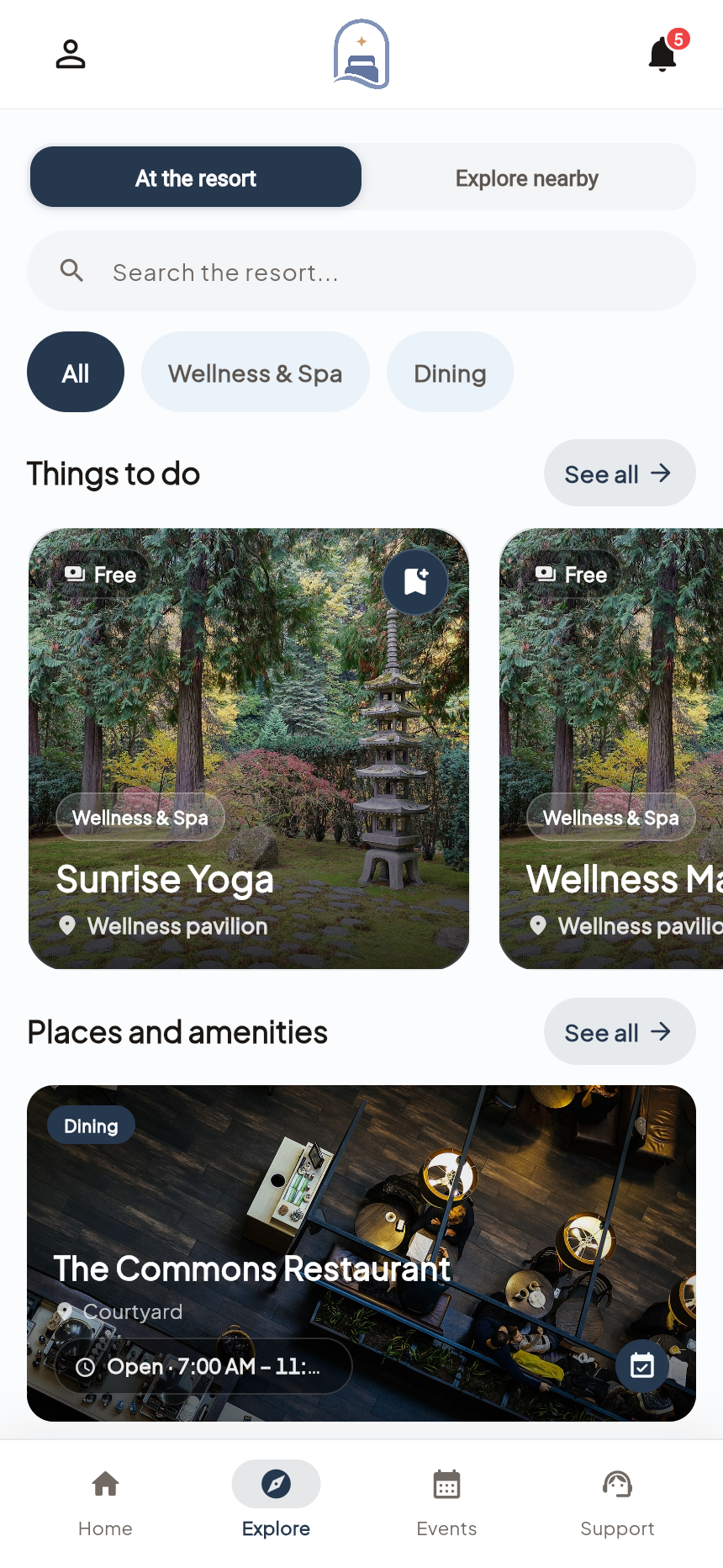
Actual My Stay screens · Demo property
- Used by
- Hotel guests
- Available on
- iOS & Android
- Managed through
- Your hotel’s web workspace
A closer look at Guest App.
01Hotel directory
Give every service a useful front door.
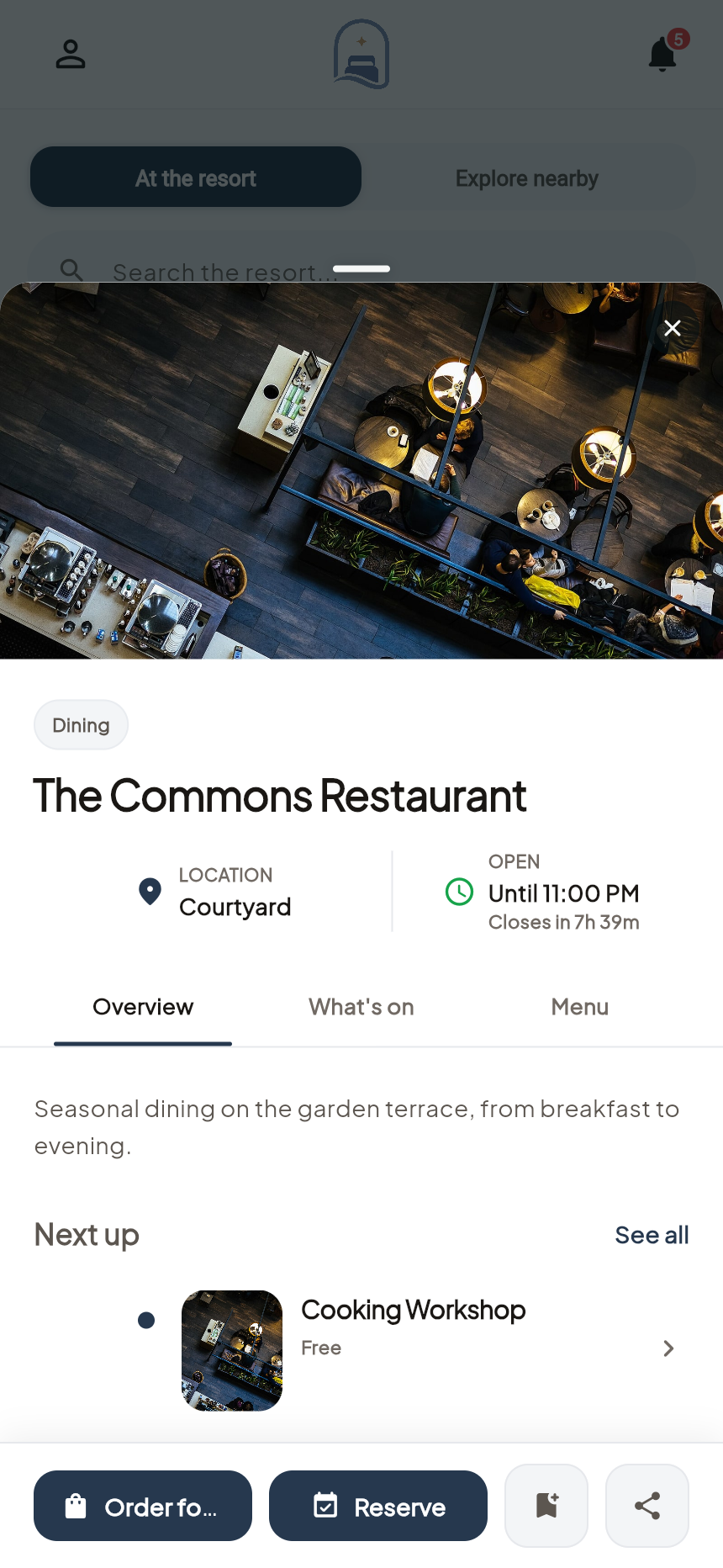
Give every facility and experience a place in the guest journey. Help guests explore what is available, understand the details, and plan their time.
- From browsing to a decision
- Guests can read about a restaurant or spa, check its hours and see the services available before making a plan.
- Maintained by your team
- Edit facility photos, descriptions, schedules and translations in the web workspace. Draft and publish controls let the team prepare updates before guests see them.
02Activities & plans
Turn the programme into their own plans.
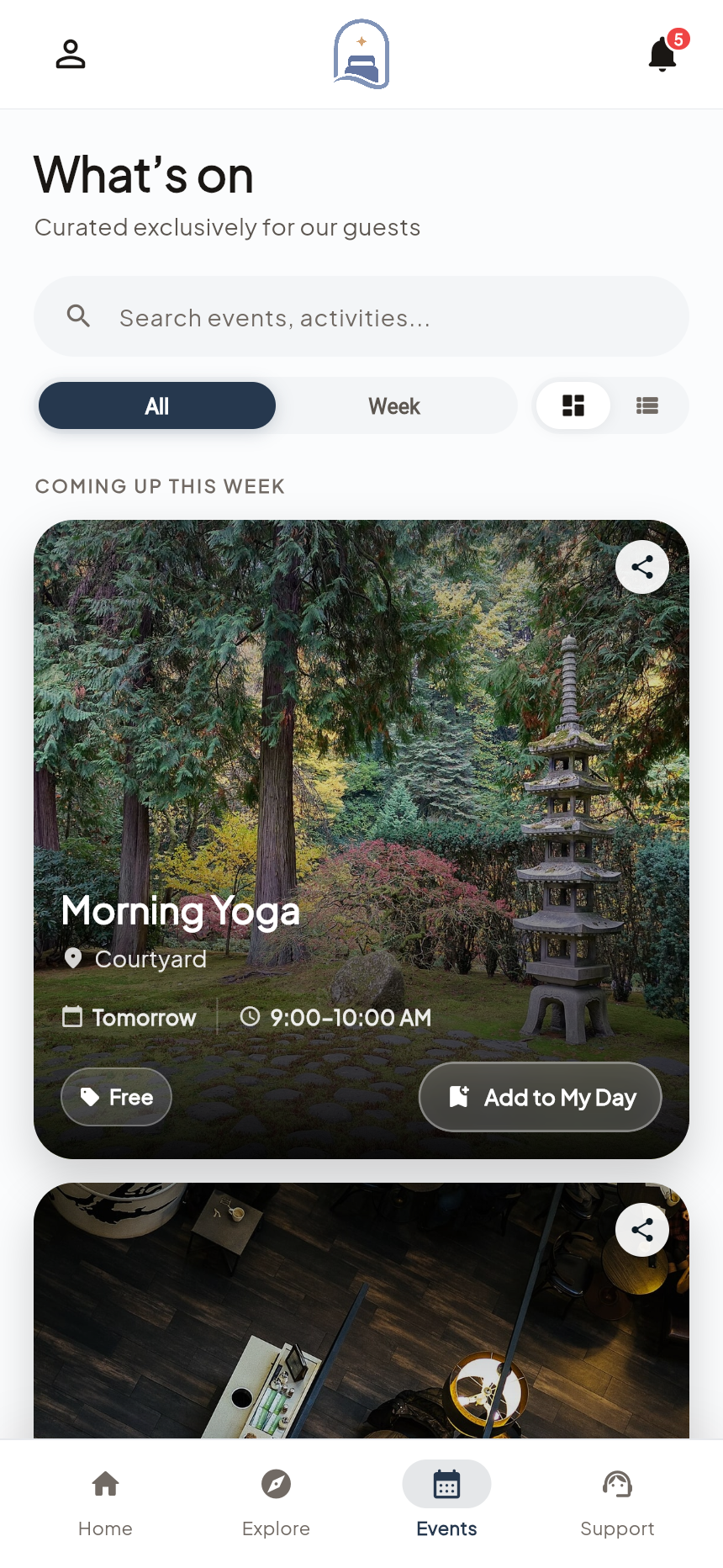
Bring discovery and planning closer. Guests can find an activity, make a reservation, and keep track of what they have chosen throughout the stay.
- Schedules and reservations
- Show when an activity happens, then configure how it is reserved: in the app, through an external booking link, or without a reservation.
- A place to return to
- Guests can revisit reservations and their daily plans. Stay groups let people travelling together share plans and invitations.
03Requests & housekeeping
A request starts with the right details.
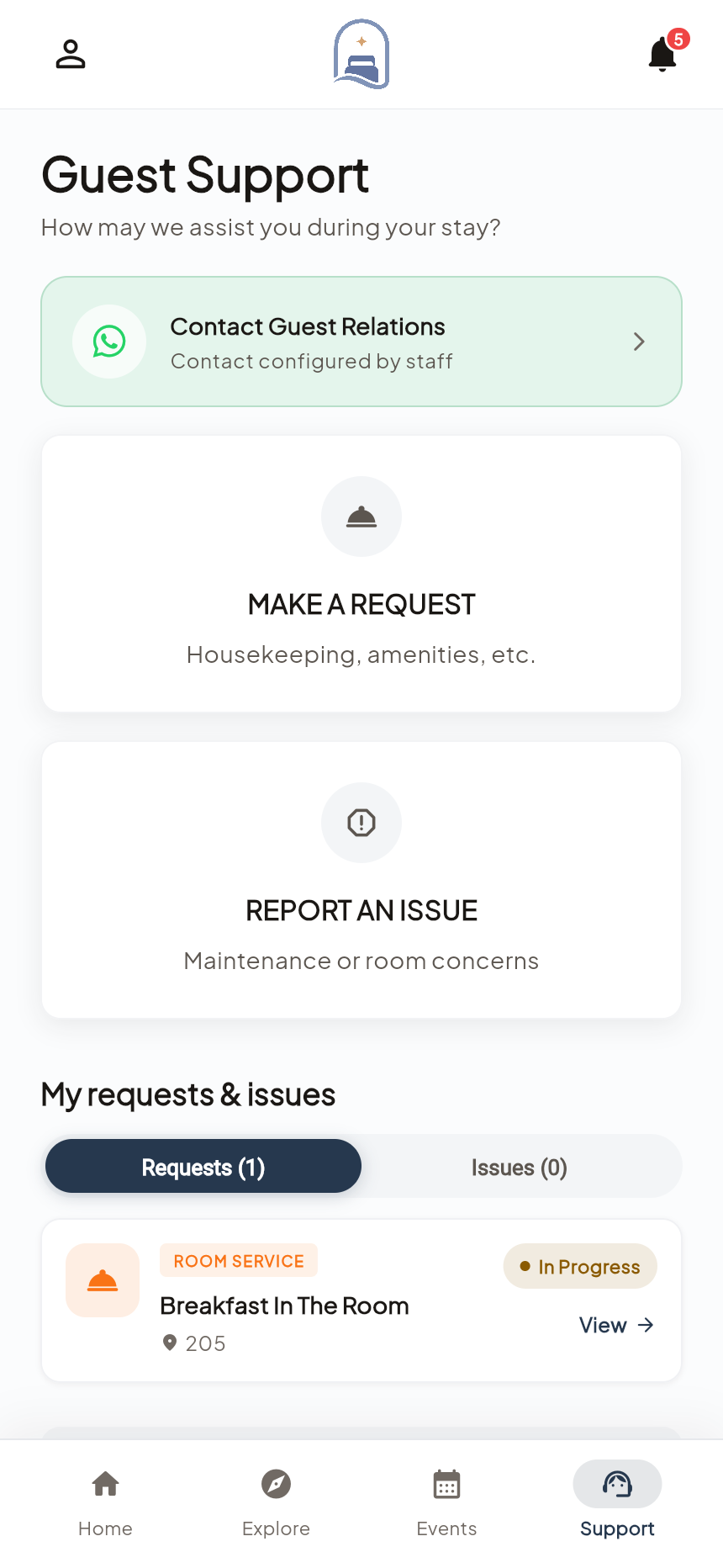
A clear way to ask for help makes a difference. Guests can explain what they need, choose housekeeping preferences, and follow the progress of a request.
- Guided service requests
- Guests choose the kind of help they need and supply the relevant details. The request reaches the hotel team with its guest and room context.
- Keep the guest informed
- Housekeeping preferences, available service windows and request updates help guests arrange service around their day.
04Branding & languages
Make the welcome feel like your hotel.
The hotel is the brand guests came for. Carry that same identity into the app, with your visual language, your content, and the services that make your property yours.
- Your content and identity
- Configure your hotel logo, colours and photography, then publish the facilities, experiences and local recommendations that belong to your property.
- Five supported languages
- The app supports English, French, Arabic, German and Polish, including right-to-left layouts for Arabic. Your team manages translated hotel content.
In practice
A dinner plan, from both sides.
The guest app is the starting point. Reservations & Ordering gives the restaurant team the tools to deliver the experience.
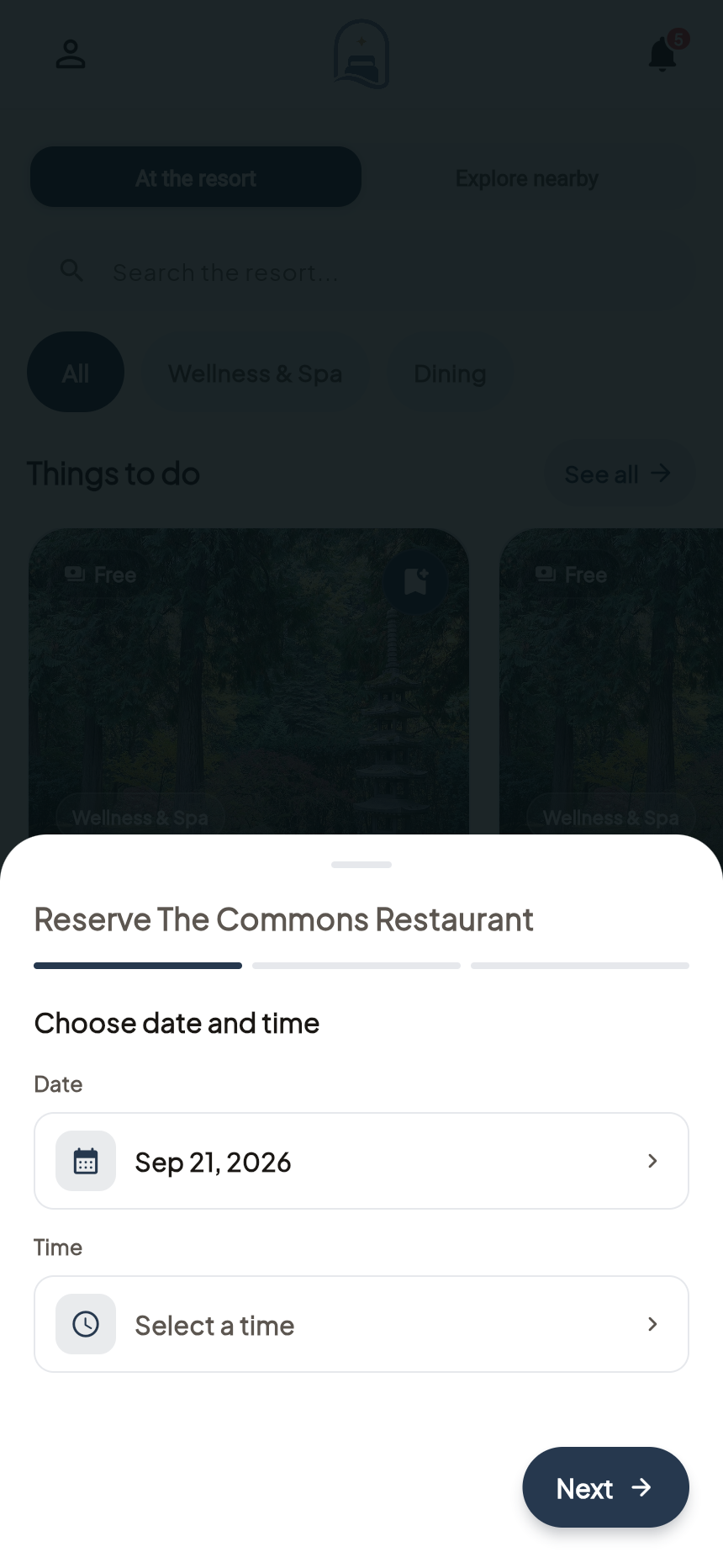
The guest makes a choice
They explore a restaurant and submit a reservation with a date, time and party size.
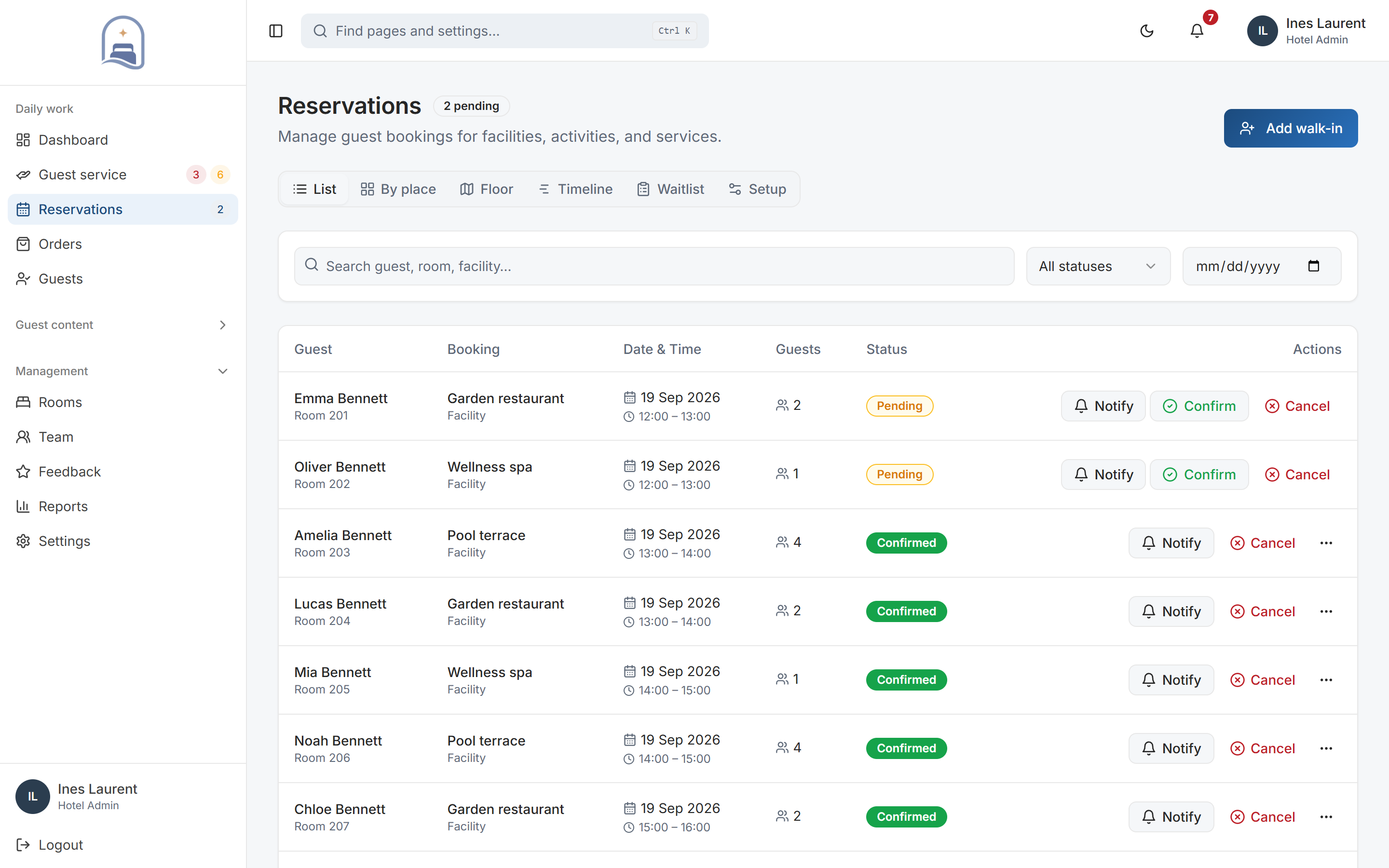
The restaurant prepares
Staff review the guest and room details, booking status and resource assignment in the reservation workspace.
The plan stays accessible
The guest can return to their reservations while the team handles confirmations and changes.
Your setup
Fit it to the way
your hotel works.
These are the decisions we work through together before rollout.
See the rollout steps- Guest access
- Guests use the native app and complete their profile and stay details, including their room. We agree the introduction and distribution process with your hotel during rollout.
- Content to prepare
- Your logo, hotel photography, facility details, opening hours, guest guidance and the languages you want to publish.
- Service ownership
- Choose who maintains your content and which colleagues handle bookings, orders and guest requests.
Before you decide.
Practical answers about Guest App.
Does the app carry our hotel’s branding?
Yes. The guest experience uses your logo, colours, photography, content, facilities, and services. Configuration and rollout are agreed for your property.
Is this a native app or a web directory?
My Stay’s guest experience is a native iOS and Android app. Your team manages hotel content and service activity through a web workspace.
Can our team update content?
Your team can manage hotel information, facilities, schedules, events, and translations in the workspace, with draft and publish controls.
Where it connects.
Guest App is the guest-facing experience. Reservations & Ordering and Hotel Operations provide the working tools behind the actions guests take.
Let’s make it work for your property.
Give your guests a warmer digital welcome.
Explore Guest App with a walkthrough of the workflows and configuration relevant to your hotel.
Book a personal demo